The idea
I wanted to see what I'd look like in different outfits without actually changing clothes. Not for shopping — more for creative exploration. What if I wore a Victorian gown? A cyberpunk jacket? A red silk dress at a gala?
Turns out AI can do this now. So I built a tool around it.
這個工具的起點
我想看看自己穿不同衣服的樣子,但不想真的換裝。不是為了購物——比較像是好奇心。如果我穿維多利亞風禮服?賽博龐克外套?紅色絲質洋裝走紅毯?
AI 現在做得到這件事。所以我把它做成一個工具。
How it works
三欄式操作,左到右:
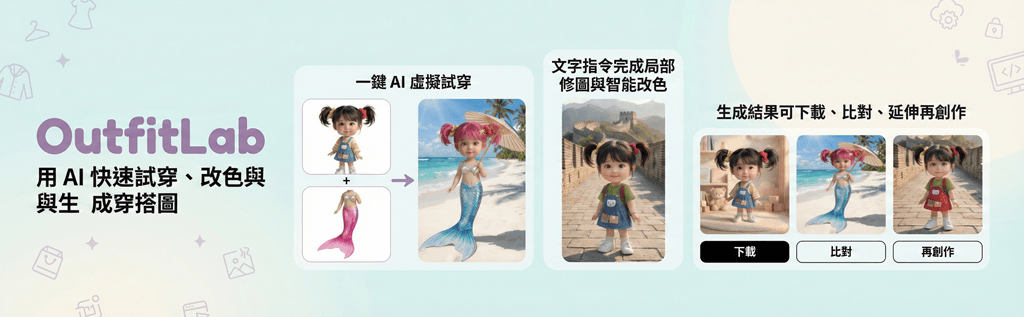
1. 上傳你的照片 — 放一張半身或全身照。AI 會分析你的身形和光線。
2. 選擇衣服 — 上傳衣服的圖片,或直接用文字描述(比如「一件紅色絲質晚禮服」)。可以一次加很多件,AI 懂得怎麼疊穿。
3. 生成結果 — 按下 Mix & Match,幾秒後看到穿搭效果。可以按住比較前後差異,喜歡的話直接下載。
Three things I like most
Magic Edit — 用文字指令修改照片細節。打「把頭髮染粉紅色」或「拿掉眼鏡」,AI 就直接改。這個功能有時候比換衣服還好玩。
Smart Recolor — 看到一件衣服款式喜歡但顏色不對?用取色器或文字描述換色,材質紋理會保留。我試過把牛仔外套改成墨綠色皮革,效果出乎意料地好。
AI Style Advisor — 上傳一張照片,AI 會分析你的穿搭風格然後給建議。它推薦的單品可以直接加到試穿清單裡。
Try it
需要 Google Gemini API Key(在這裡申請)。