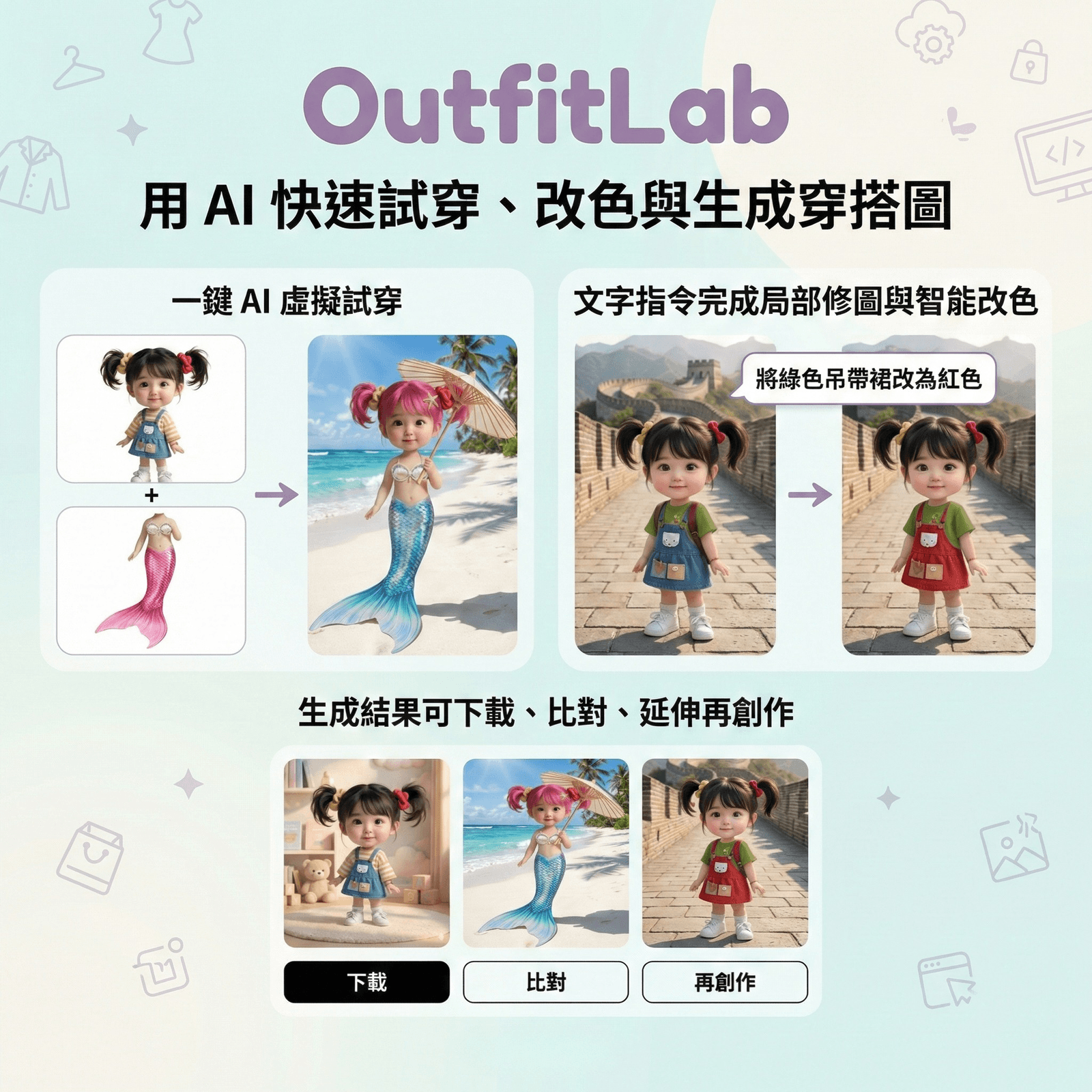
Welcome to OutfitLab — a fashion experiment platform combining cutting-edge generative AI technology. No complicated wardrobe changes, no professional photo studio needed. With just a few taps, you can see yourself in different styles.
Core Features
- AI Virtual Try-On: Upload your photo and the clothes you want to try on (or describe them in text). AI automatically "wears" the clothes on you, naturally fitting your body shape and lighting.
- Smart Recolor: Like the jacket but want a different color? Use the color picker and material preservation technology to precisely change item colors without distortion.
- Magic Edit: Want to change your hair color? Add sunglasses? Enter text commands and AI will modify specific photo details.
- Item Extract: See a great outfit photo and want to isolate just the "jacket" for mixing and matching? One-click auto background removal and extraction.
- AI Style Advisor: Not sure what to wear? Upload a photo and let AI analyze your style with professional suggestions.
How to Use
Step 1: Set Up the Model (Column 1)
Upload a full-body or half-body photo. Clear lighting with no obstructions recommended. Use the AI Style Advisor for analysis and recommendations.
AI Toolbox (Advanced):
- Extract Item: Select body part (top, pants, etc.) to isolate clothing items
- Magic Edit: Enter commands like "dye hair pink" or "remove glasses"
- Smart Recolor: Enter target item and choose color via picker or text description
Step 2: Build the Outfit (Column 2)
- Add Items: Upload flat-lay or model photos, or describe in text (e.g., "a red silk evening gown")
- Quick Styles: Use style tags (cyberpunk, urban professional) for instant full-outfit styling
- Background Settings: Keep original, switch to studio/real-world scenes, or custom ("firefly-filled magical forest")
Step 3: Generate Results (Column 3)
Click Mix & Match to synthesize. Preview, compare before/after, download single images or comparison collages, or set results as your new model for continued styling.
Pro Tips
- AI understands clothing logic — adding "shirt" and "jacket" together will layer correctly
- Extract items from fashion magazine photos, then try them on yourself
- For recoloring, add material descriptions (e.g., "denim texture" with blue) for better results